Make your playlist.
Drag videos into Fast TV. It saves references to your files, so your collection stays exactly where you put it.
 Fast TV
FROM YOUR MAC. TO YOUR TV.
Drop in a video. Settle into the sofa.
Fast TV brings your Mac’s movie collection to Google TV over your home network.
One-time purchase · Two Macs · Free TV receiver

MOVIE NIGHT, SIMPLIFIED
Your files are already on your Mac. Fast TV gives them a simple way to the biggest screen in the room, with a shared playlist and a remote that feels right at home.
Drag videos into Fast TV. It saves references to your files, so your collection stays exactly where you put it.
Open the free receiver on Google TV. Choose your TV on the Mac and enter the PIN shown on screen.
Play, pause, seek, and choose what’s next from the sofa. Your Mac keeps the stream running.
ONE PLAYLIST. BOTH SCREENS.
A clear, focused player. A playlist you can browse from either device. Everything you need for a good night in.
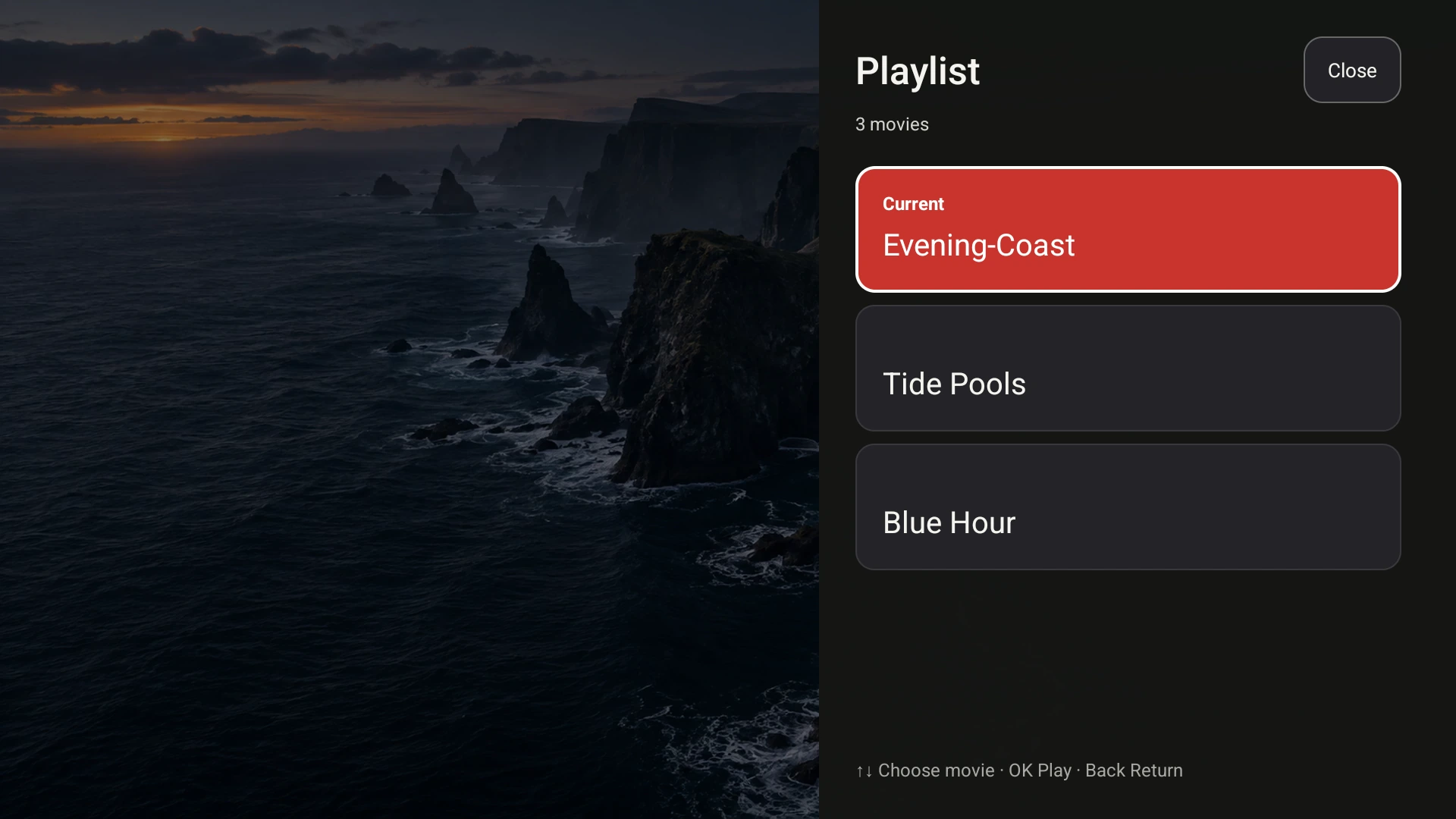
The Fast TV receiver. Demo media shown; movies are not included.
Move from one movie to the next with the TV remote. Add or reorder files on the Mac whenever plans change.
Choose a subtitle file from your movie folder on the Mac, then select it on your TV. Captions have room to breathe.
Fit the full frame or crop to fill your screen. The picture keeps its original proportions.
Built-in audio decoding handles common MKV soundtracks. Compatibility processing is available when your file needs it.
A SHORTER JOURNEY
Video and subtitles travel directly from your Mac to your TV. Your files aren’t uploaded to our servers, and adding a video to your playlist doesn’t make a second copy.
OWN YOUR MOVIE NIGHTS
A perpetual licence for the Mac sender. A free receiver for your Google TV. No recurring subscription to keep track of.
Check your setupOne payment. Up to two Macs.
Fast TV is currently in internal testing. Public downloads and purchasing will open together.
BEFORE MOVIE NIGHT
A Mac with Apple silicon, a Google TV or Android TV device, and both devices on the same local network. Install Fast TV on each. Keep your Mac awake while streaming. The current Mac build requires macOS 13 or later.
No. Fast TV plays video files you already have permission to watch. It does not include a streaming catalogue, channels, or access to subscription services. Files protected by DRM are not supported.
Yes. Fast TV supports common local video formats including MKV and MP4. The receiver decodes supported audio directly. When a file needs compatibility processing, Fast TV handles it on your Mac. Playback depends on the video codec and your TV’s hardware.
Yes. Add and reorder files on your Mac, then browse the shared playlist with your TV remote. You can pause, seek, skip to another movie, and choose subtitles without returning to your desk.
One US$19.99 purchase activates the Mac sender on up to two Macs. The Google TV receiver is free. There are no recurring subscription charges. You can deactivate a Mac in the app to move its activation to another Mac. Taxes and local currency pricing appear at checkout.
Your video streams over your local network, without a cloud upload. Internet access is needed to purchase, activate, and periodically verify the Mac licence. A verified Mac can stay offline for up to 30 days before another licence check.